JSM help center vs. Refined Sites for JSM: When to stick with built-in, when to build it out
When the JSM help center is enough, and when to build more
November 23, 2026
•
6 min
•
by
Raj Sehmi
Atlassian's new JSM help center brings several JSM spaces into one portal. Here's what it does well, where it runs out, and when Refined Sites for JSM fits better.
What is the new JSM help center?
The help center is Jira Service Management's native way to build a help portal that combines services and content from one or more JSM spaces. It has a homepage built with a Confluence-style page editor, fixed sections for portals, topics, and requests, and room for additional pages that can be nested under folders, that support a single level of nesting.
This is a big change from the one-portal-per-space model. Until now, IT, HR, Facilities, and Finance each had their own portal, and people had to know which one to visit before they could ask for help.
What does the help center do well?
It's included with JSM. There's no add-on to buy or install.
One entry point across spaces. Pulling several JSM spaces into one help center removes the "which portal do I use?" problem.
A guided start. The help center builds your first homepage from a few initial choices.
Knowledge articles on the homepage. A built-in module lists articles connected to your JSM spaces, ordered by space, by type, or manually.
When is the help center enough?
The help center is a good fit when:
You're replacing the legacy JSM portal and want a quick improvement
Your service site serves one audience across a handful of teams
Brand alignment beyond a logo and one global color isn't a priority
Admins want to avoid third-party apps
Where does the help center fall short for larger service sites?
Enterprise service management sites, with many teams and audiences, hit these limits quickly:
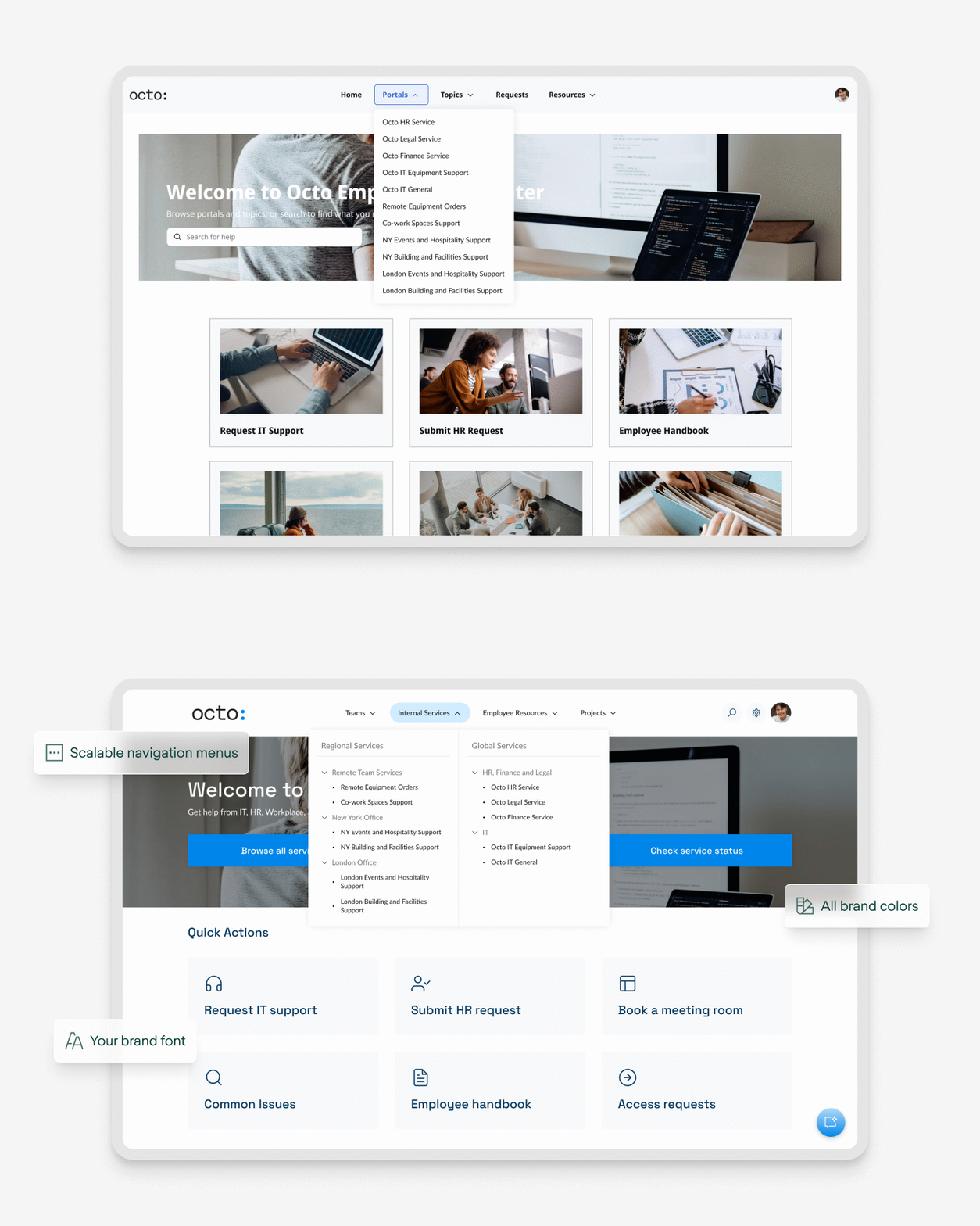
Limited branding. You get one brand color and a logo. There are limited typography controls, and no favicons, page backgrounds, or custom code. Custom domains are path-based (instance.your-domain.com/helpcenter/your-hub), so the site still reads as part of Atlassian's product.
Navigation that doesn't scale. Home, portals, topics, and requests are fixed in the menu. You can add folders with custom items, but only one level deep, and there's no search bar in the menu.
Help stays in fixed places. Users can only raise requests from the Portals pages or Topics pages, and track them on the Requests page. You can't put a request type anywhere on the site, for example next to the articles someone is reading on a custom landing page.
Search with no way to guide users. There are no filters, no promoted results, and no suggested questions to steer people toward answers that would save a ticket.
Few site-level controls. There are no site-level access permissions, cookie banner, SEO settings, site analytics, or site administrators. That's a gap for regulated industries, and for any team that needs to know how its site is used.
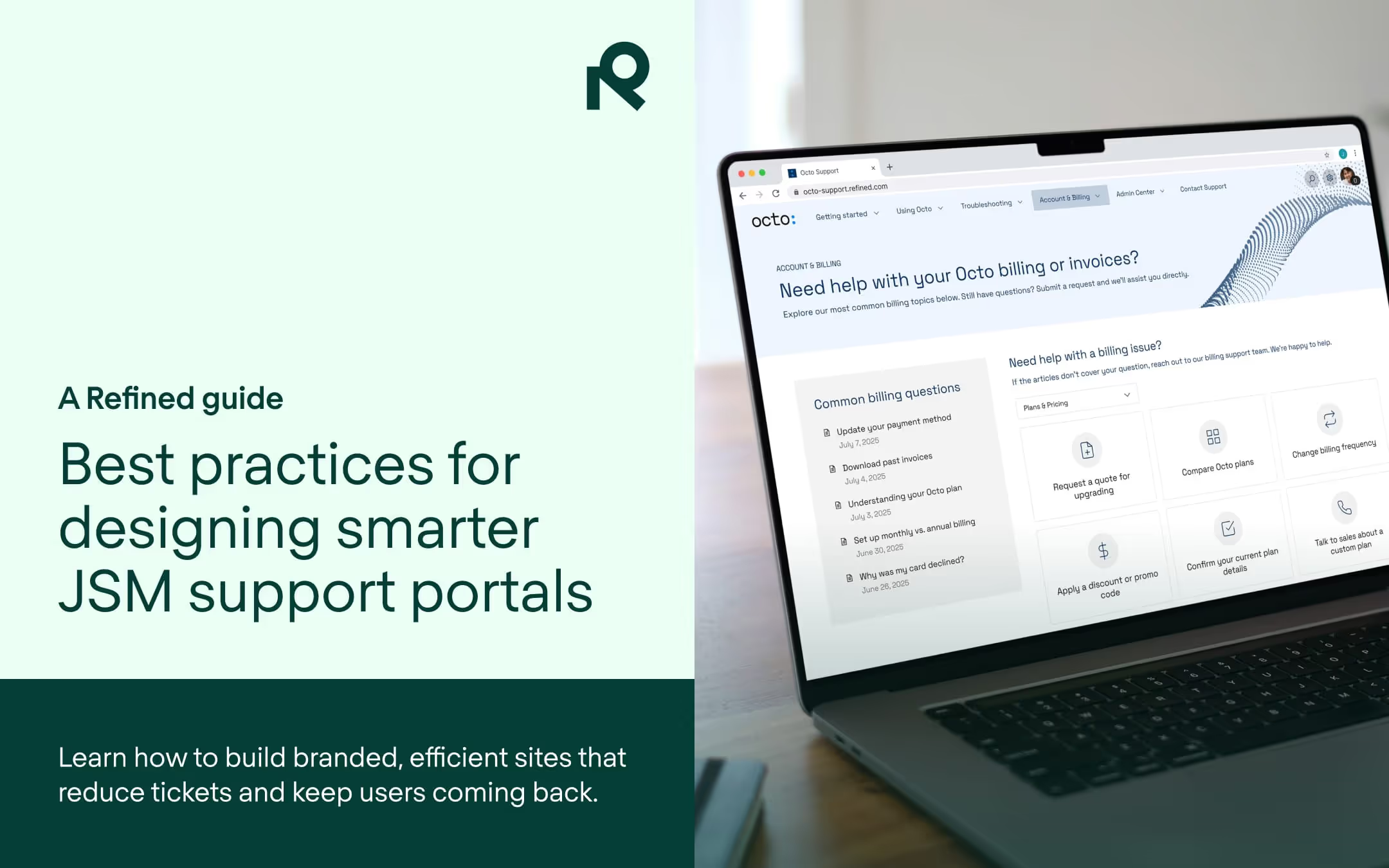
Full design control. Set separate colors for backgrounds, surfaces, text, and accents, choose fonts and weights, add page backgrounds, and use HTML, CSS, and JavaScript. On Advanced edition, publish on your own domain, like support.your-domain.com. More than 50 in-product templates cover any page.
Navigation built for large service sites. Build the menu with drag and drop, nest items as many levels deep as you need, and add custom links and folders. A global search bar and a site switcher help users move across teams.
Requests on any page. Add request types, plus request and approval tracking, to any landing page. An onboarding page can hold the new-hire guides and the equipment request form together. Request types can also be embedded and easily accessed from any Confluence page.
Search and AI in context. Filter results by site structure, promote the answers you want seen first, and suggest AI-generated questions. On Advanced edition, each site gets its own AI assistant that answers in the context of that site.
Control over who sees what. Decide per site, or per section on a site. what content is open to anonymous visitors, logged-in JSM users, users from your Atlassian organization, or specific user groups. On Advanced edition, per-site analytics show how people use each site, and any licensed user can be a site administrator without Atlassian admin rights.
See what's working, and what's missing. On Advanced edition, per-site analytics show what people search for and use, you can spot where answers are missing, add or improve the knowledge behind them, and steer more people to self-service before they raise a ticket.
Knowledge and support in one site. Pair it with Refined Sites for Confluence to bring fully browsable Confluence spaces into the same site as your request types.
How fast can you get started?
Launchpad is a free, AI-powered way to build a Refined site. Give it your company domain and it picks up your brand. Tell it what you're building and who it's for, such as an IT and HR service site for employees or a support portal for customers, and it generates the structure, navigation, and copy. The site renders live while you adjust it through chat.
You don't need a login or admin access to start. Share the site with colleagues to get buy-in, then import it into Refined and add your JSM spaces to the structure.
When should you choose Refined Sites for JSM?
You run service for several teams or audiences, such as IT, HR, and external customers
Your help center needs enhanced customization to look and feel like your brand
You want users to raise and track requests from any page
You need multi-level nesting of menu items on your sites
You need enhanced control over access, site administration, and analytics
Product comparisons reflects Refined Sites for JSM, and Atlassian JSM help center functionality as of November 2026.
See what your own service experience could look like
The new help center is a solid upgrade from the legacy JSM portal. As your service site grows to more teams, audiences, and content, Refined Sites for JSM gives you the branding, navigation, and control to keep it easy to use, and the insight to keep it moving.
Try Launchpad and build a branded service site in minutes
Most support teams can only estimate deflection. Here's how to calculate a deflection metric from your JSM help center, and what to report alongside it.
A basic Confluence-JSM link isn’t enough. Discover how thoughtful integration can cut tickets, boost satisfaction, and deliver seamless self-service support journeys.
In a world of instant answers and intuitive consumer apps, users need (and expect) support from businesses to be just as seamless. They want to help themselves on their time, on any device, and with minimal friction.