January 19, 2026
•
10 min read
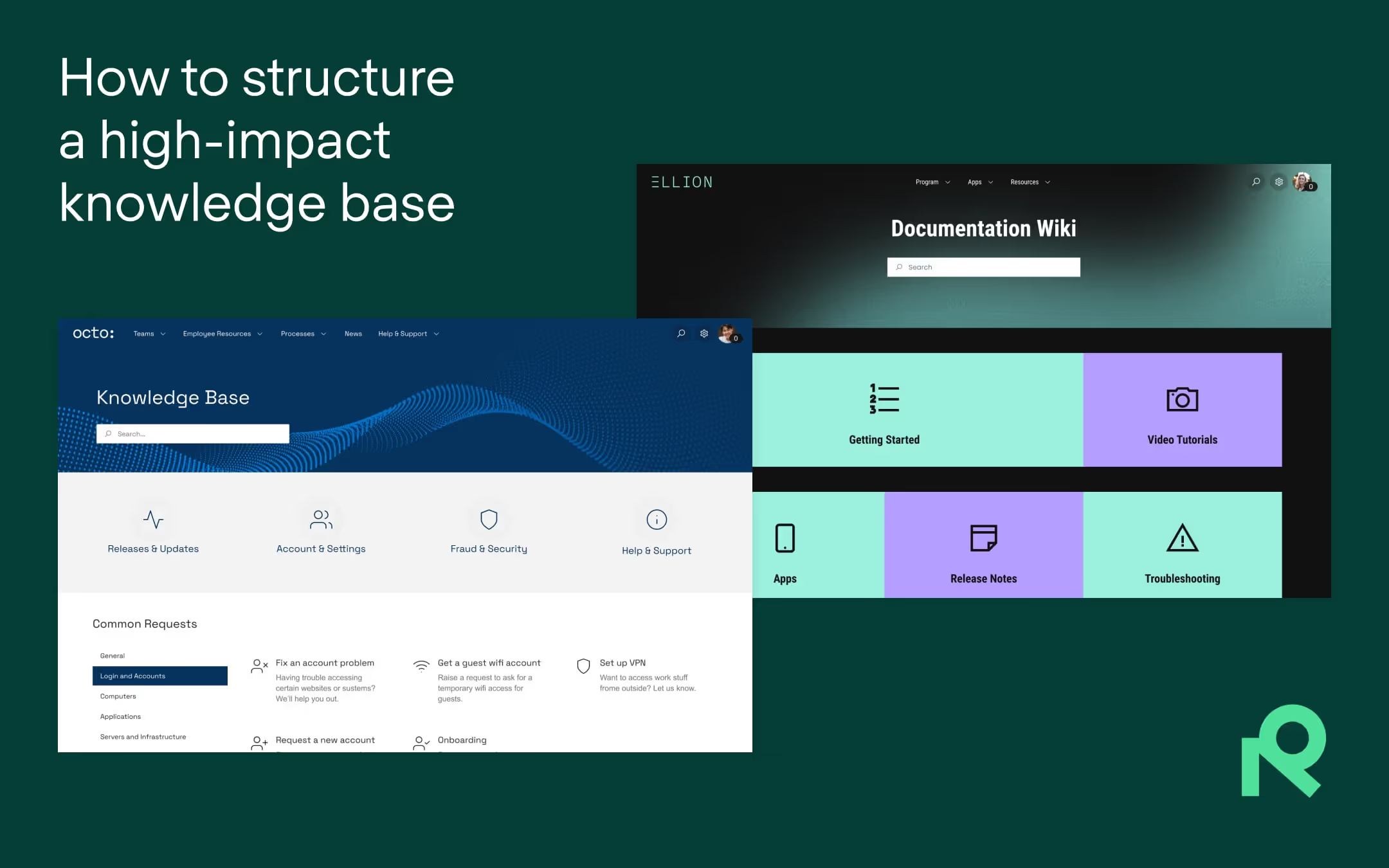
If your Confluence knowledge base is hard to navigate or slowing down your team, this blog post will help you turn it into a streamlined self-service hub that supports productivity.
It’s easy to see why teams turn to Confluence when they need a knowledge base. It’s flexible, widely adopted, and fits neatly into the Atlassian ecosystem. But flexibility doesn’t always translate into usability.
We’ve seen it happen: well-meaning teams set up a space and start documenting. Before long though, the structure starts to fray. Pages multiply. Formatting veers off course. Instead of streamlining work, the knowledge base becomes one more place where information gets buried.
The result is that teams spend more time searching for answers than sharing them. Onboarding slows down, and collaboration grinds to a halt. The support queue fills with questions that should have been self-service.
As we move into 2026, expectations around how knowledge is organized continue to rise as well. Users want cleaner navigation, clearer categories, and content that feels more intuitive to browse — especially as AI-driven search becomes a bigger part of the Confluence experience. Research in knowledge management shows that poorly structured information remains one of the biggest barriers to effective knowledge sharing today, reinforcing how much structure and usability continue to matter.
So whether you’re building a knowledge base from scratch or improving what you already have, a thoughtful approach to structure, maintenance, and usability will make all the difference.
In this blog post, we’ll walk you through what it takes to create a Confluence knowledge base that empowers teams for productivity. Join us as we take a look at common pitfalls, best practices, and more.
When structured effectively, a knowledge base shifts from passive storage to an active tool for communication, decision-making, and team support.
Here’s why a well-designed knowledge base delivers impact:
When content is organized intuitively and consistently, teams spend less time searching for answers and more time executing. This is critical because studies have shown that employees can waste up to two hours a day looking for documents or information they need to do their jobs. Simply put, clarity drives velocity.
Whether for internal teams, external customers, partners, or otherwise, the ability to find answers independently reduces the load on support staff and subject-matter experts. For example, Malmö, Sweden-based app-marker 55 Degrees struggled with low engagement on its public documentation due to poor usability. After upgrading to a clearer, more navigable knowledge base, support requests dropped considerably. Even as their team and customer base grew, their knowledge base was so effective it allowed them to keep the support team lean.

A well-structured knowledge base helps new hires, who are likely full of questions, get up to speed faster. This is especially critical in the age of remote and hybrid work arrangements, as folks may not have colleagues in close proximity to turn to for quick answers. And the stakes are high – 64% of new hires leave early due to poor onboarding experiences.
When documentation lives in a dozen Slack threads, siloed folders, or individual desktops, information will inevitably fall through the cracks. A well-maintained knowledge base consolidates critical resources into a single, trusted source. That means fewer duplicate pages, less back-and-forth, and greater transparency across teams.

From the previous section, we already know that a thoughtful knowledge base is a force multiplier. But unfortunately, many teams struggle to get there.
Why?
For all the powerful capabilities that out-of-the-box Confluence has, the following challenges can still stand in the way:
With no enforced information hierarchy, knowledge gets scattered across multiple spaces and pages. Teams often duplicate information, misplace key articles, or fail to consolidate updates. This, in turn, can lead to version confusion and knowledge siloes.
Native search in Confluence can return broad results. Without custom navigation to guide users toward frequently accessed resources, or promoted search results tied to common queries, users may be left to click through multiple articles hoping to land on the right one.
Knowledge base articles often lack a shared structure. Some are longform, others bulleted. Some have introductions and FAQs, others don’t. Inconsistent formatting leads to inconsistent comprehension that can undermine trust in the content.
When there’s no review cadence or archiving process, stale content lingers and clutters up search results. Users end up reading outdated material, which can cause operational errors or compliance issues.
Creating a successful knowledge base in Confluence is equal parts content creation and design. Here are a few best practices to guide your approach:
For a deeper dive, check out this blog post on 5 ways to structure and organize a knowledge base.
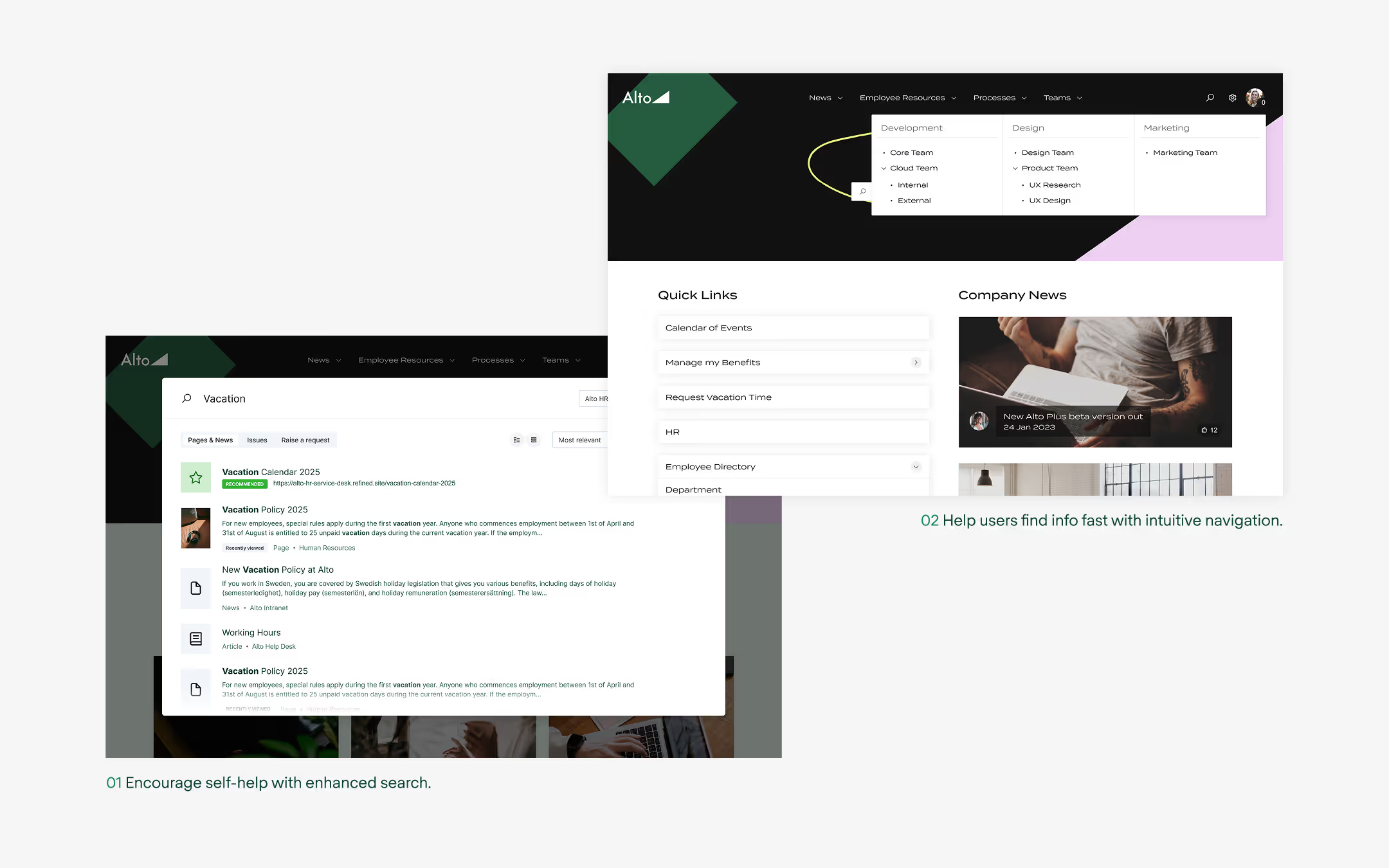
Group spaces into a drop-down menu according to use case, audience, or function, and not just by team.

Templates promote consistency in branding and structure, as well as speed — it’s easier and faster for users to navigate a page they’re already familiar with. Templates also raise the quality bar across the board.
A good template makes your pages look beautiful with minimal effort, and you don’t need to be a designer to apply them.
If users can’t find what they need in a few clicks, they’ll give up or escalate.
Content should change as your organization changes. Don’t let your knowledge base become a graveyard of outdated content.
A Confluence knowledge base isn’t something you set up once and forget. It only stays useful if the content keeps pace with your team, your processes, and the questions users ask. In 2026, more organizations are treating content maintenance as an ongoing operational practice rather than an "every now and then" cleanup project.
Use this list to sanity-check your setup or guide a revamp:
Want some examples of what a great knowledge base looks like? This blog post highlights some of our favorites.
In 2026, the most effective Confluence knowledge bases are organized around user tasks rather than internal departments. Clear categories, simple navigation, and tightly scoped pages help AI-powered search perform better and help users get answers a lot quicker.
Teams are increasingly using lightweight review cycles — quarterly audits for high-traffic pages, automated reminders for stale content, and clear ownership for each category or space. You'll want to do this as it keeps information accurate and ensures users can trust what they find.
A great knowledge base should do more than store content. It's a tool that helps people get work done with less friction. When information is easy to find and consistently maintained, teams move faster, support requests drop, and collaboration feels more natural too.
If you’re looking to bring more structure and clarity to Confluence, Refined Sites can help you create spaces that are easier to navigate and more intuitive for your users. It’s a practical way to turn your knowledge base into a branded, personalized experience that teams will rely on.
Ready to learn more?
Explore our guide to optimizing Confluence and JSM with Refined.