JSM Help Hubs vs. Refined Sites for JSM
Help hubs is Jira Service Management's native way to build a help portal that pulls from one or more JSM spaces, with a page editor and a more flexible site structure than the classic one-portal-per-space setup. Refined Sites for JSM lets you build AI native, fully branded help and support experiences on top of JSM, with full control over design, navigation, and where users find help.
Help Hubs in JSM
Build portals that combine one or more JSM spaces, using a Confluence-style page editor. Premium and Enterprise plans can build multiple hubs. Standard plans get one hub alongside the classic portal.
Refined Sites for JSM
Build branded help and support sites on JSM, with:
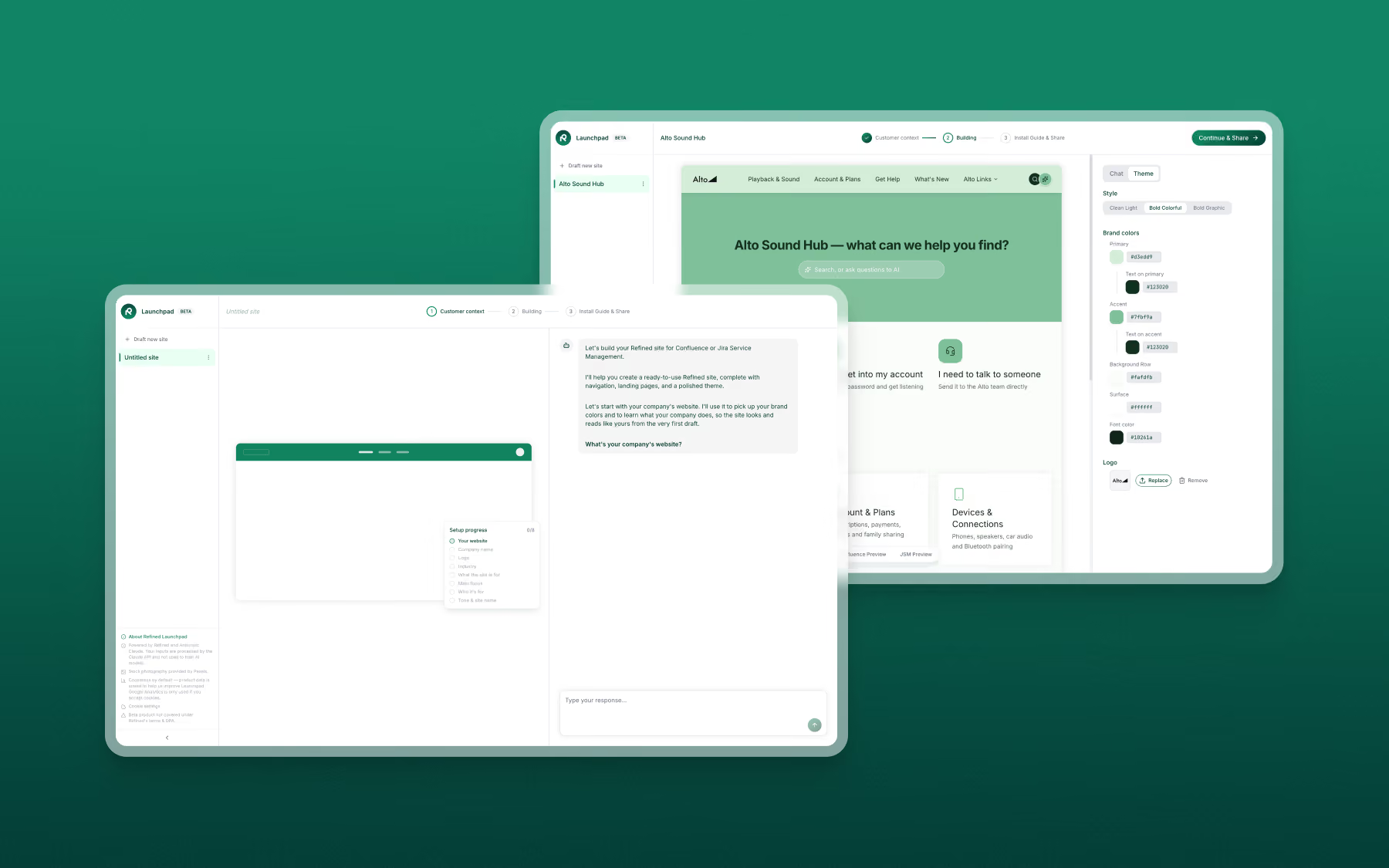
- A fast start with Launchpad. Describe what you're building and who it's for, and AI generates a branded site with structure, navigation, and copy in minutes. Import it into Refined and keep building.
- Full brand control. Colors, fonts, backgrounds, banners, favicons, and custom code options, so your site looks like part of your corporate web presence.
- Navigation that scales. A drag-and-drop menu builder, global search, contextual AI assistant, and a site switcher for service sites that span many teams.
- Help wherever users land. Add request types and request and approval tracking to any landing page.
- Governance built in. Site access permissions, cookie banner, SEO controls, and on Advanced edition, contextual site analytics and site administrators.
Feature by feature
Launchpad is a free, AI-powered site builder for Refined. Give it your company domain and it picks up your brand, then asks what you're building and who it's for. It generates the site structure, navigation, and copy, and you adjust the site through chat while it renders live.
| Feature | Help Hubs | Refined Sites for JSM |
| Starting point | A hub homepage based on the user’s initial selections, then expanded page by page in the editor | A complete branded site concept from Launchpad, generated in minutes, as well as 50+ in-product templates. |
| Getting stakeholder buy-in | Build the hub first, then show it | Share a Launchpad site with colleagues for feedback. No login or admin access needed to start. |
| Moving to a live site | Build directly in JSM | Import the Launchpad site into Refined, then add your JSM spaces to the structure. |
| Feature | Help Hubs | Refined Sites for JSM |
| Brand colors | One brand color | Separate controls for background, surface, primary text, accent, and accent text |
| Typography | Not currently available | Set font and weight for headings and body text |
| Favicon |  |  |
| Page backgrounds | | Color, gradient, or image |
| Custom code | | HTML, CSS, and JavaScript |
| Custom domain | Path-based, e.g. instance.your-domain.com/helpcenter/your-hub | Advanced Edition: Your own domain, e.g. support.your-domain.com |
| Feature | Help Hubs | Refined Sites for JSM |
| Menu structure | Home, portals, and requests are fixed menu items. Additional pages sit under a "More" dropdown. | Drag-and-drop menu builder. Nest, reorder, or hide items, and add custom links and menu folders. |
| Search in the menu | | Global search bar, with the option to search within specific parts of the site |
| Menu behavior | Fixed at the top, on or off | Fixed, static, or a "shy" menu that hides on scroll down and reappears on scroll up |
| Menu styling | Logo, borders, padding, corner radius. Color comes from the single brand color. | Logo, borders, color, gradient or image background, text size and color, item shape and hover color, spacing, shadow, alignment, light or dark dropdowns |
| Access Confluence spaces via the menu | | Add and access Confluence spaces to the navigation menu, with Refined Sites for Confluence |
| Feature | Help Hubs | Refined Sites for JSM |
| Editor | Confluence-style editor. Flexible, but less intuitive for people who don't work in Confluence. | Drag-and-drop page builder with modules, sections, and rows. Read more |
| Reusing page designs | Copy and paste content between pages | |
| Request types | Only on the Portals pages | |
| My requests and approvals | Only on the Requests page | |
| Site structure | | Show the whole site structure as navigation links in one module. Updates automatically as the site changes. |
| Knowledge base content | Module that lists KB articles connected to the JSM space, ordered by space, type, or manually | With Refined Sites for Confluence: Pages module and fully browsable Confluence spaces, with space settings for authors, reading time, likes, table of contents, feedback, and more. Knowledge base setup. |
| Feature | Help Hubs | Refined Sites for JSM |
| Search filters | | Narrow results based on site structure |
| Promoted search results | | |
| AI-generated questions | | Advanced Edition: Yes, plus a contextual AI assistant per-site |
| Filter by Confluence labels | | Yes, with Refined Sites for Confluence |
| Feature | Help Hubs | Refined Sites for JSM |
| Site access permissions | No site-level controls | Choose per site: Anonymous visitors, logged-in JSM users, logged-in users from your Atlassian organization, or specific user groups from your Atlassian organization |
| Custom "login required" page | | |
| Cookie banner | | |
| SEO and indexing | | Generate a sitemap and choose whether search engines index the site |
| Site analytics | | Advanced Edition: Offers per-site analytics that help you understand how users behave not with the portal in general but with your specific site |
| Site administrators | | Advanced Edition: Delegate permissions to any licensed user to administer a specific site, without being an Atlassian admin. |
When Help Hubs is a good fit
Help hubs is a clear step up from the classic JSM portal and comes included with JSM. It covers the basics for smaller service sites, and it has a few native request features: anonymous request creation, the JSM virtual assistant for raising requests, and a requests table where users can add and remove columns.
Help hubs gives JSM customers a better native starting point.
When Refined Sites for JSM is the stronger fit
When the site serves several teams or audiences, needs to match your brand, or has to put requests, knowledge, and search in front of users wherever they land.
Refined Sites for JSM goes further on branding, navigation, landing page design, search, and site governance, which is what large enterprise service management sites need as they grow. Paired with Refined Sites for Confluence, Refined also brings full knowledge base browsing into the same site.
Launchpad gets teams from idea to a branded site concept in minutes, so the extra capability doesn't mean a slower start.